

Opening Outlook Express Attachments
Here is how you enable attachments to be accessed in Outlook Express. If you are not using Outlook Express then consult your e-mail system documentation.
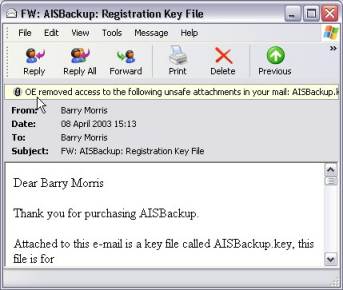
- If a message similar to that shown below is displayed:
- Select the menu option Tools / Options ...
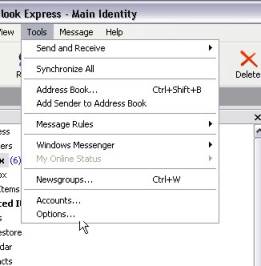
- Select the Security Tab and de-select Do not allow attachments to be saved or opened that could potentially be a virus.

-
Re-open the e-mail and save AISBackup.aik to the AISBackup program folder or double click AISBackup.aik and chose the Open option.
-
Optionally re-enable Do not allow attachments to be saved or opened that could potentially be a virus.